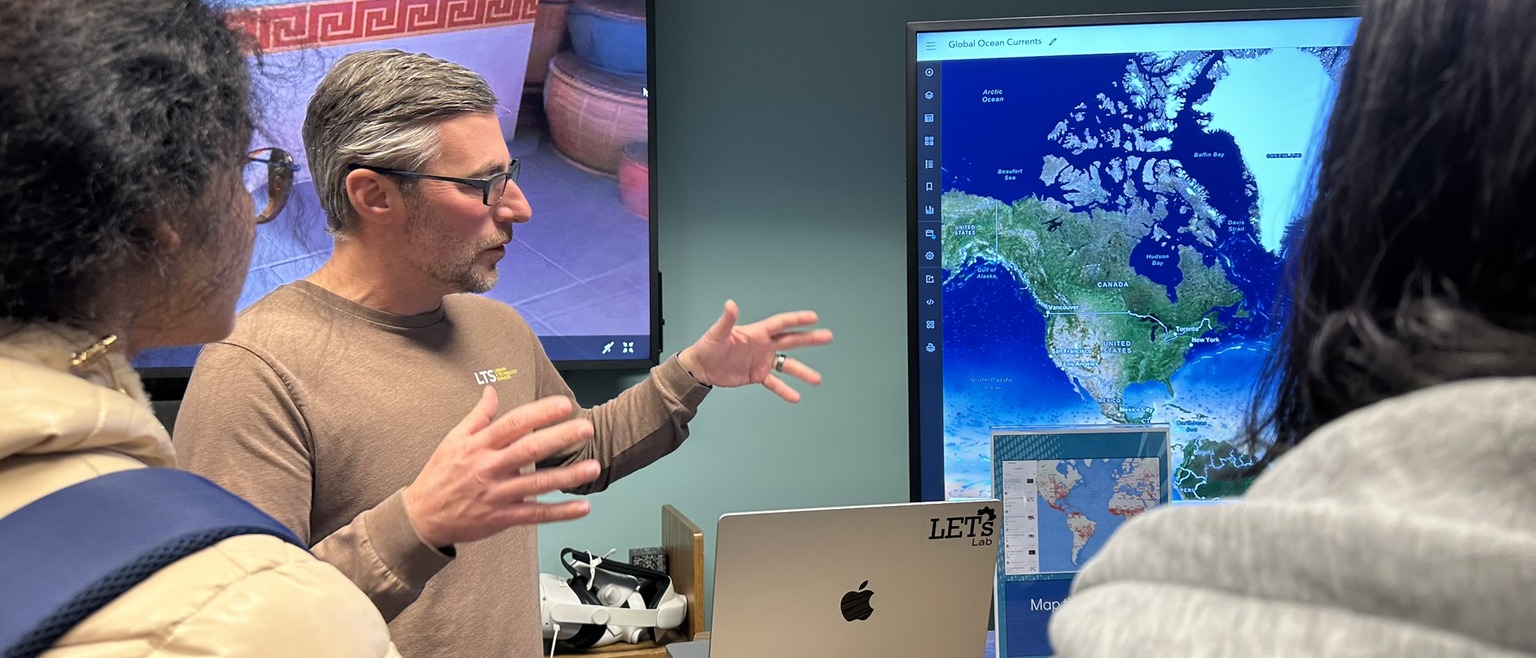
Academic Technology provides the resources, spaces, and expert support needed to integrate technology into teaching, learning, and research across campus. Our team assists faculty, students, and staff through individual consultations, specialized lab and studio spaces, and technical guidance for everything from everyday classroom systems to emerging fields like generative AI, VR/XR, GIS mapping, and digital scholarship.
Whether you need help setting up classroom equipment, producing media projects, or incorporating new tools into your coursework, this page outlines the services and support available to assist you.
Generative Artificial Intelligence
Faculty across Lehigh’s five colleges study artificial intelligence (AI), also known as machine learning, including the development of computer vision and large language models. More and more teachers are facilitating conversations with their students about AI in academia and industry.
ITS and CITL host workshops on generative AI, benefit from student perspectives, and publish guides to our website and knowledge base – all with the goal of advancing AI research and literacy.
Schedule a consultation with our staff to explore an AI-powered tool, troubleshoot interactions with AI Application Programming Interfaces, or discuss some productive uses and the dangers of AI.
VR/XR and Immersive Learning
Resources and support are available for those interested in exploring the fields of VR/XR and immersive learning technologies for course use, research, or development. In addition to student access to VR experiences, we offer a variety of tools and platforms, a growing community of practice, and labs for exploration and development.
Students and faculty can explore VR and its related technologies in the LETs Lab. The lab is available for classroom VR experiences and offers access to a wide variety of academically relevant content utilizing both the Meta Quest, Apple Vision Pro and the HTC Vive. Students can experience VR individually, or in small groups, under the guidance of an experienced lab assistant. Faculty can request a consultation to discuss how VR can be best utilized and are welcome to explore and test the many applications themselves.
The Student Developer Lab is a dedicated space for Lehigh students interested in the design, development, and testing of interactive and game-based applications, assets, and experiences.
To learn more about utilizing XR in your teaching or research, you can submit a request for a consultation.
GIS and Geospatial Tools
Geographic Information Systems (GIS) are used to manage, analyze, and visualize spatial data. They provide the framework for integrating location data (where things are) with descriptive information (what things are like there), which allows us to explore spatial relationships, patterns, and trends. ITS provides support to those interested in using or learning more about GIS tools, both enterprise (e.g., ArcGIS) and open source (e.g., R, Python, QGIS) products. Course-related consultation is provided at no cost and can be requested using this form and selecting 'GIS and Geospatial Tools' under the type of consultation.
Digital Scholarship and Humanities
Staff within Information Technology Services (ITS) that intersect with Digital Scholarship (DS) and the Digital Humanities (DH) include the Digital Research and Scholarship team, the Digital Media team, and subject and Special Collections librarians.
These teams have collaborated on projects that involve: digital archives and exhibitions; preservation in our institutional repository; data management, analysis, and visualization; multimodal scholarship; documentary audio and video; oral history projects; editing and post-production services; podcasting; equipment borrowing; drone flights; use of Lehigh’s Digital Media Studio and DIY Video Recording Studios; 3D modeling and printing; and DH pedagogy.
ITS has a range of resources in our digital toolkit. Lehigh Software licenses, free/open source software, LUapps, Lehigh WordPress, Lehigh ArcGIS portal, and our DataCamp and LinkedIn Learning licenses are good places to start.
Use this form to request a DS/DH consultation.
Creative and Experiential Spaces
Lehigh’s Information Technology Services (ITS) Creative and Experiential Spaces provide access to professional-grade studios, tools, and resources. Whether it’s for a class project or a personal passion, your creative journey starts here!
Produce high quality audio or video podcasts and recordings in the DIY Podcasting & Lightboard Studio and DIY Audio Recording Studio!
Delve into photography & videography in our Photography Studio, Videography Studio and multi-purpose Digital Media Studio!
Explore and create in VR and Mixed Reality, build your own 2D and 3D games and apps, learn how to pilot a drone, and much more at Lehigh’s Emerging Technologies (LETs) Lab and Student Developer Lab!
No experience is required—our team is here to help you get started. Ready to build, capture, or record? Visit go.lehigh.edu/create to learn more
Classroom Technologies
Classroom technology in registrar-scheduled, ITS-supported spaces typically consists of an instructor computer and a projection system or a wall-mounted monitor for displaying instructor computer content to students in the room. These room systems are operated using a control panel, located on the instructor station, or in some cases mounted nearby on a wall.
Some classrooms are outfitted with additional technology to 1) support wireless sharing from a device to the classroom displays or 2) provide web conferencing capabilities (including cameras, microphones, and an annotatable instructor computer monitor.) The ITS Knowledge Base contains extensive information on operating the technology in these classrooms.
Additionally, there are two technology-enhanced active learning classrooms in EWFM, rooms 379 and 520, that are outfitted with moveable furniture, conferencing technology, and an annotatable instructor computer monitor. Room 379 also includes four wall-mounted monitors that support wireless display for group work and 'whiteboard' walls.
Live Event Support
The Academic Techology Team provides live audio, video, and web conferencing services for academic and administrative events, presentations, and productions. To request support, view current service rates, and for more information visit https://go.lehigh.edu/specialevents.